

Spyware Terminator 2.7.2.125
Free, light and easy to use program for removing spyware from your system
Program info
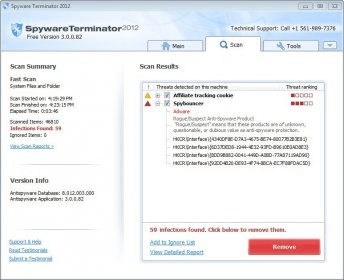

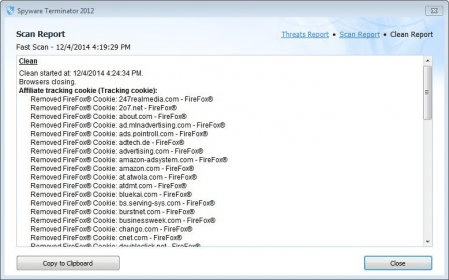

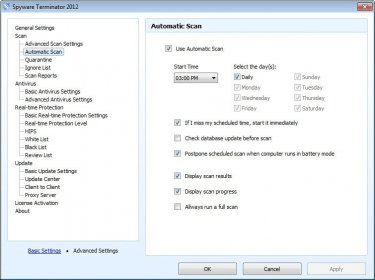


Spyware is software designed for collecting information about your Web activity and send it to an external party. This information can include passwords, credit card numbers and other critical personal data, and can be used to steal your identity, make charges to your credit account, and other felonies. This free program allows you to scan your system to see if it has been infected by this type of malware. First, you need to configure the program by selecting the main use you intend to give the program (scan your computer, protect it against spyware, or against spyware AND viruses. If you choose this last option, which is new to this version, the program will download ClamAV 0.96, which is an open-source antivirus program). Then, you can perform several types of scans: Fast, Full or Custom, each with their own characteristics. The program will explore your system and detect all the suspect files, giving you the option of removing them or report them as false positives. The main window of the program shows the current status of the program and has a useful panel with information about new threats, as well as a search window you can use to find data about a suspect file. It is also possible to enable the real-time protection feature to reinforce the security of your system.
The program is fast and comprehensive, and can detect malware that can get unnoticed to other antispyware programs. It also updates daily. All these are good reasons for getting it installed in your computer.
Pros
- Free
- Comprehensive
- Useful
Cons
- None found
Details
Extensions

No information available
The data will be available later.Awards


Related software

Program which allows you to detect and delete malware.

Effective protection against various types of malware.

Protect Windows PCs from viruses, spyware, ransomware, and other threats.
Related stories
See all
A short guide on how to identify identical files on your Windows 10 PC and remove them to free up some more storage space.

The autoplay blocking feature that was introduced in the latest version of Chrome is being temporarily rolled back because of certain conflicts with browser-based games.
Users have reported that the latest Windows 10 update has deleted file from their PCs. Microsoft is looking into the matter and has decided to temporarily pause the updates.


Features mention here are not working ( they haven't even answered any query regarding this)
Automatically charge for the printouts.
Auto detect Laptops
Internet connection graph
Internet connection monitoring
Check status from anywhere on web
and more.......... More